AI Era UI/UX Transformation: From UI operator to user experience architect, how to build your strategic moat
Senior Value
Let’s be honest with ourselves: the UI/UX design industry is having a serious identity crisis.
With AI capable of spitting out pixel-perfect dashboards and clean, component-driven interfaces in a matter of seconds, the era of the "UI Operator"—the designer whose primary value is pushing pixels in Figma—is rapidly winding down.
When beautiful screens become cheap, commodities, how do senior designers justify their worth?
The answer isn't about mastering yet another design tool or learning to write better AI prompts. It’s about moving upstream. To stay irreplaceable, we have to transition from interface designers into User Experience Architects. We need to stop focusing on what the product looks like and start mastering complex human-interaction logic, continuous discovery, and strategic information architecture.
Trading the Paintbrush for the Blueprint (IA & Business ROI)
AI is incredibly good at copying existing design patterns. What it cannot do is untangle messy, real-world business logic. A junior designer looks at a screen and asks, "How do we make this look clean?" A User Experience Architect looks at the system and asks, "How does this data structure actually move the needle for the business?"
Breaking the Visual Commodity Trap
In complex industries—like Fintech, legacy banking, or Web3—the real challenge is almost never visual. It’s architectural. Your value as a senior designer is proven by your ability to look at a chaotic pile of business requirements, cut through the noise, and design a scalable Information Architecture (IA).
AI can't sit down with domain experts to map out a highly sensitive, multi-party configuration system. It takes human intuition and strategic synthesis to translate messy backend variables into a product flow that makes sense to a human being.
Speaking the Language of Business
An architect doesn’t talk about "pretty interfaces"; they talk about business metrics. Your design decisions should directly connect to tangible outcomes:
Fixing the leaky bucket in a complicated checkout or onboarding funnel.
Designing bulletproof error-handling systems that drastically cut down customer support tickets.
Creating flexible frameworks that let the engineering team build and ship features faster.
Designing the Logic of Human-AI Interaction
Traditional UX is built on predictable, static flows: User clicks Button A, System does Action B. But we are moving into a world where products are dynamic, non-linear, and driven entirely by user intent.
Designing for Intent-First Interfaces
In an intent-first paradigm, users no longer navigate rigid menus or fill out complex, 20-field forms to get a result; they express what they want to achieve in natural language or macro-actions, and the system dynamically generates the interface on the fly. As an UX Architect, your canvas is no longer a static layout. Your job is to design the semantic guardrails and conversational flows that interpret vague human intent into precise system actions, ensuring the interface adapts accurately without overwhelming the user.
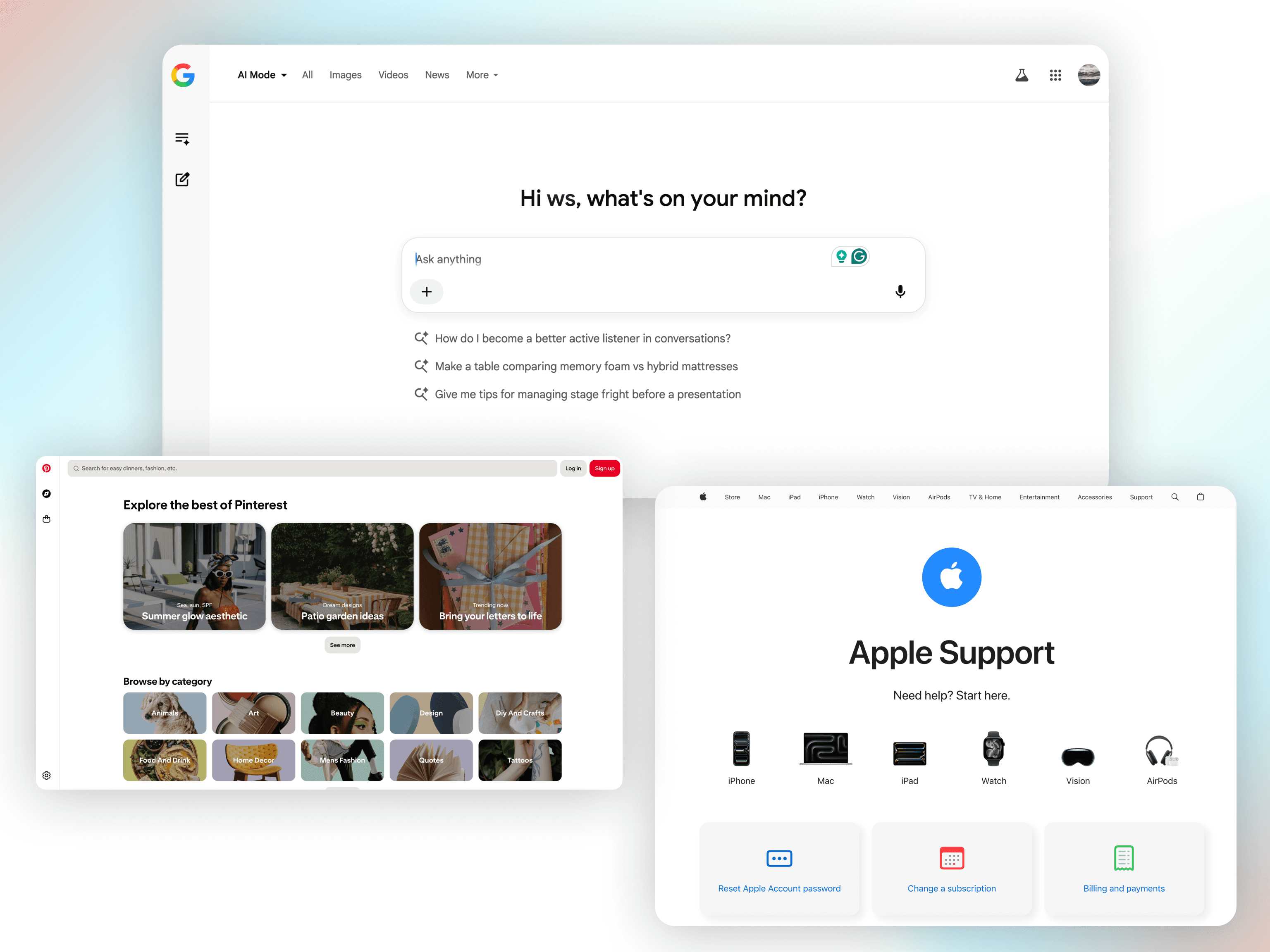
Examples of intent-first interfaces, from conversational search bars to predictive navigation, showing how modern platforms are shifting from rigid menus to intent-driven layouts.
Smart Friction & Graceful Failures: A Real-World Example
When AI becomes part of the product, user behavior changes from rigid navigation to an active conversation. As an UX Architect, your job is to design the boundaries, safety nets, and trust models of this relationship.
Consider an AI-powered enterprise procurement or billing platform. A user might type: "Pay all outstanding invoices for Vendor X."
Implementing Smart Friction: A junior designer might let the AI execute this instantly to show off speed. A User Experience Architect introduces intentional, strategic friction. If the system detects a single invoice that is 400% higher than the historical average, the interface pauses the automation. It surfaces a high-visibility modal saying: "We found an anomaly in Invoice #3442. Review this anomaly before approving the batch." This is smart friction—slowing the user down to protect them from catastrophic financial error.
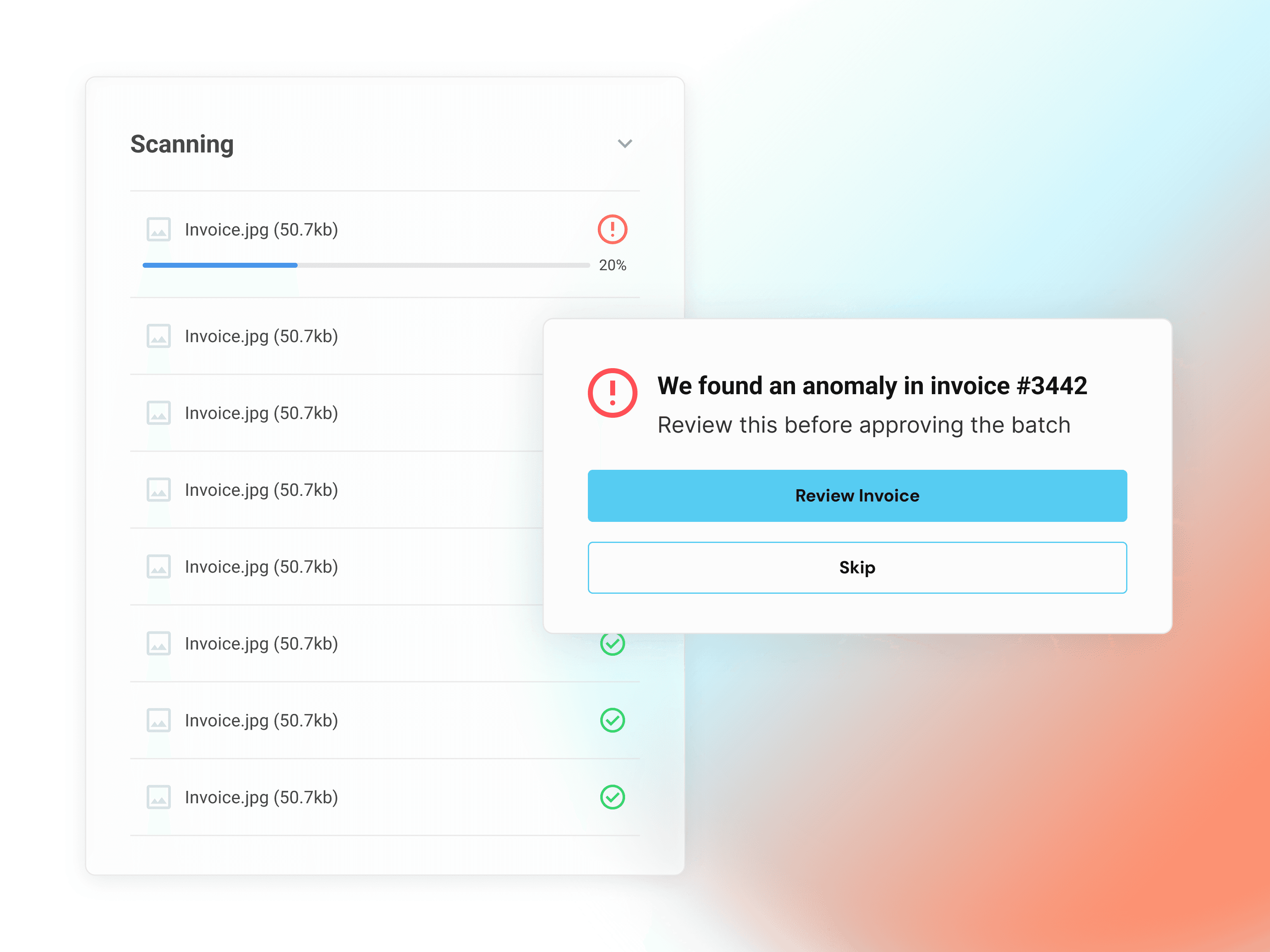
This is smart friction—slowing the user down to protect them from catastrophic financial error
Designing Graceful Failures: What happens if the AI reads a scanned PDF invoice and hallucinates the currency symbol, or if the OCR (Optical Character Recognition) engine fails mid-transaction? Instead of throwing a generic "Error 500: System Failure" screen, a senior architect designs a graceful fallback. The interface isolates the unreadable document, highlights the exact bounding box where the text extraction failed, and prompts the user: "We couldn't confidently verify the total amount on page 2. Please confirm or input manually." By keeping the user calm and giving them an easy path to take control, you maintain absolute trust even when the technology fails under the hood.
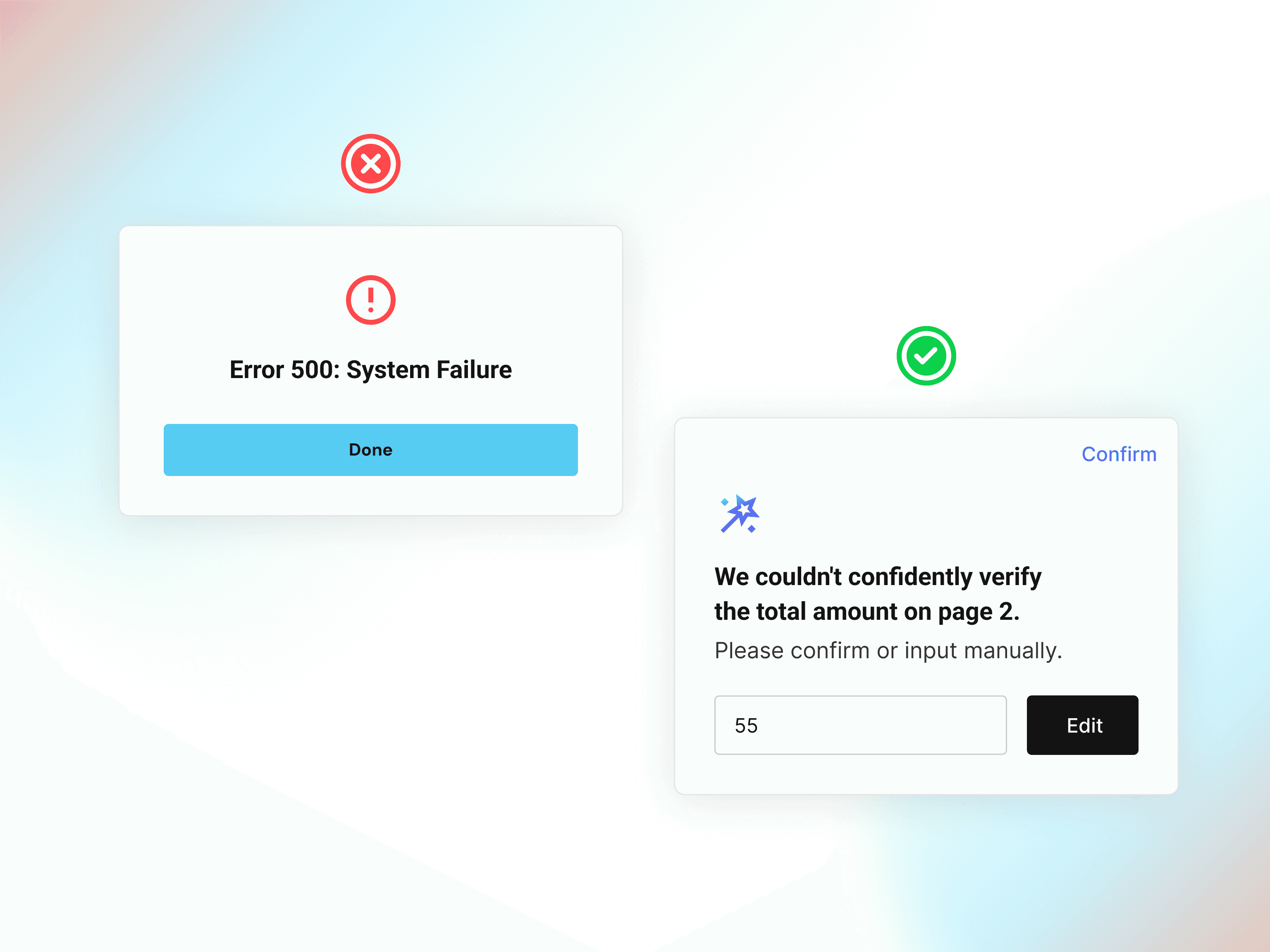
A comparison contrasting a generic, unhelpful system error message with a human-centered, conversational AI fallback modal.
Continuous Discovery and Bridging the Gap Between Teams
A flawless UI delivered for the wrong problem is just a waste of money. AI can optimize a solution you give it, but it cannot figure out what the right problem to solve is in the first place.
Uncovering the Strategic Gaps
Senior designers anchor their work in Continuous Discovery. Through ongoing research and sharp observation, they find the "strategic gaps"—those hidden, painful friction points in a user's workflow that product managers might miss and technology alone can't fix.
Aligning the Room
Product design is just as much about managing people as it is about designing software. The ability to sit in a room with Engineering, Legal, and Business Development, unpack their conflicting constraints, and guide them toward a shared vision is a profoundly human skill.
AI cannot navigate company alignment or handle stakeholder politics. Your influence as a facilitator, a strategic thinker, and a bridge between departments is your ultimate career moat.
Conclusion: Hand Over the Tool, Own the Strategy
The AI revolution isn't the death of product design—it’s actually our liberation. By automating the tedious, repetitive work of tweaking pixels and managing components, AI is forcing our industry to finally grow up.
If your value is tied entirely to how fast you can use Figma, your runway is shrinking. But if your value is anchored in solving business complexity, managing human-AI relationships, and driving product strategy, AI becomes your superpower, not your replacement.
It’s time to stop acting like a UI operator. Hand the paintbrush over to the machines, and step into your role as the architect of the experience.